
 rVAS
rVAS
A flexible VAS app for research
rVAS is a Visual Analog Scale (VAS) app for research.
Configure conditions, VAS items, presentation order, participant information, and more to fit your study.
Conduct VAS measurements, organize results, and export data as XLSX—all in one app.
For conducting research sessions, we recommend using an iPad.
rVAS can also be used on iPhone, although some features are limited.
Supported devices:
iPhone and iPad (iOS / iPadOS)
All features are available free for 14 days from first launch, with no purchase required.
Overview
Bring paper VAS to iPhone and iPad
From study setup to data export, rVAS keeps the workflow in one app.
01
Design for your study
Freely configure conditions,
VAS items, presentation order,
and more.
02
Measure and record VAS
Use a paper-like response method,
with measurements recorded
automatically.
03
Export to XLSX
Export results as XLSX files
for easier review
and analysis.
Features
Flexible design and measurement for research
Flexible study design
Configure multiple conditions and stimuli, multiple VAS items,
and repetitions for each condition.
Presentation order control
Create presentation-order patterns
or generate randomized orders automatically.
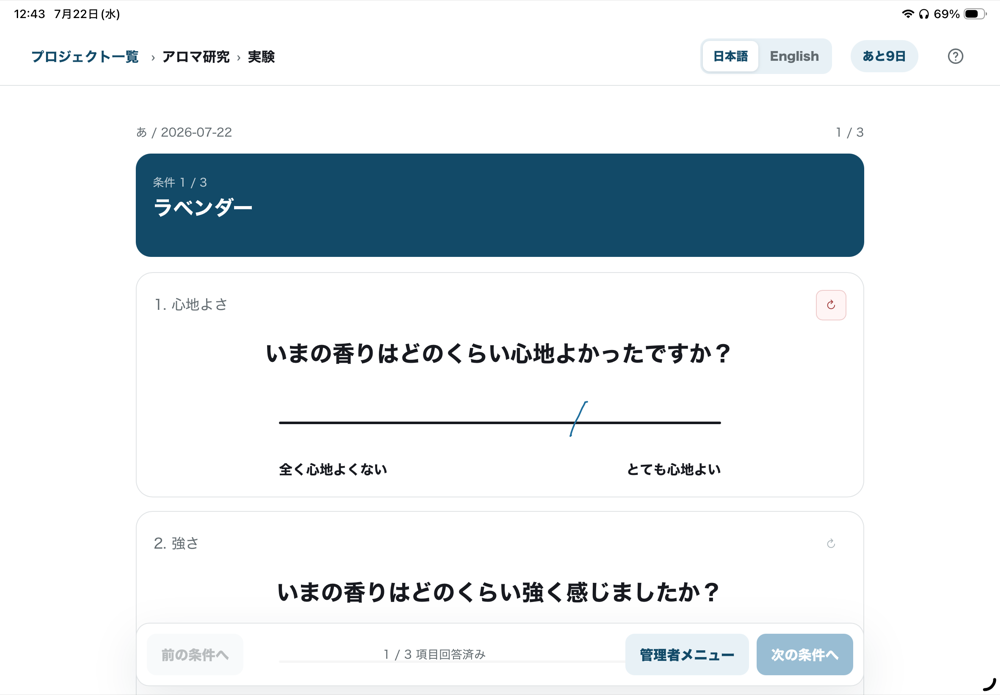
Freehand VAS responses
Respond by drawing a line with a finger or stylus
on a scale calibrated to 10 cm.
Export to XLSX
Export results across participants, conditions, and VAS items
together in XLSX format.
Participant information
Configure participant information fields.
Works offline
Use core features without
an internet connection.
On-device storage
Research data is stored locally
on your device by default.
No ads or tracking
No advertising or
external tracking.
Workflow
From setup to export in 5 steps
- Create a project — Enter the basic information for your research project.
- Configure conditions and items — Set conditions, stimuli, VAS items, presentation order, and more.
- Collect VAS responses — Participants complete VAS measurements on an iPhone or iPad.
- Review results — Review the recorded response values.
- Export to XLSX — Export the results as an XLSX file.
Between devices
Transfer project designs between iPhone and iPad
Project designs can be exported as .rvas files and imported on another device.
For example, you can prepare a project on an iPhone and transfer it to an iPad to run the experiment.
.rvas files do not include response data, participant information, device-specific calibration values, or the media files themselves.
Projects and experiment data are not automatically synced between devices.
Screens
App screens
VAS response screen
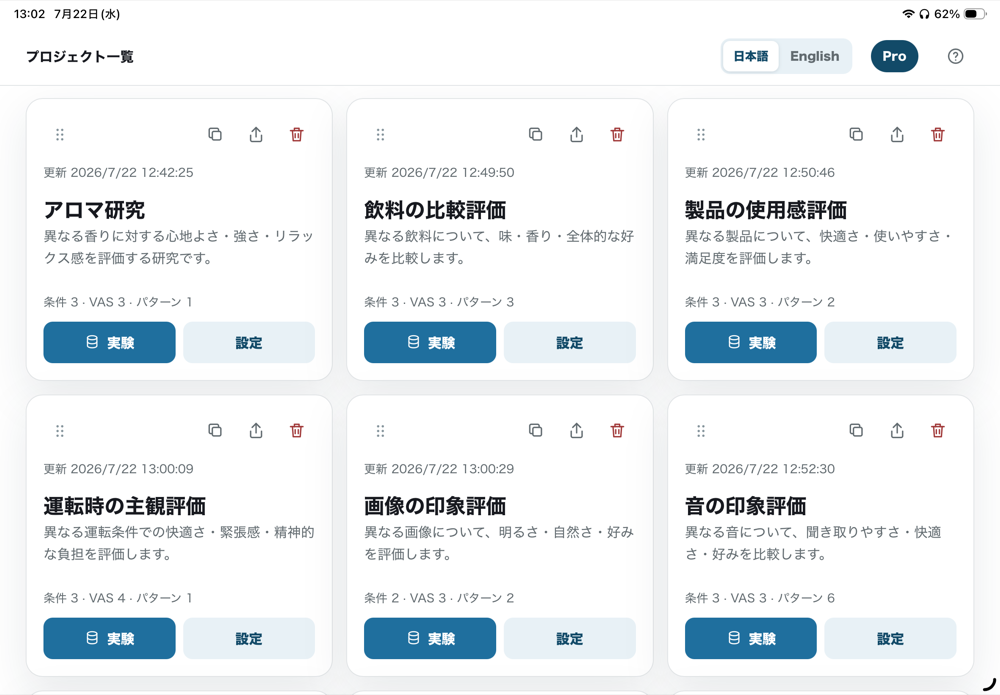
Project list
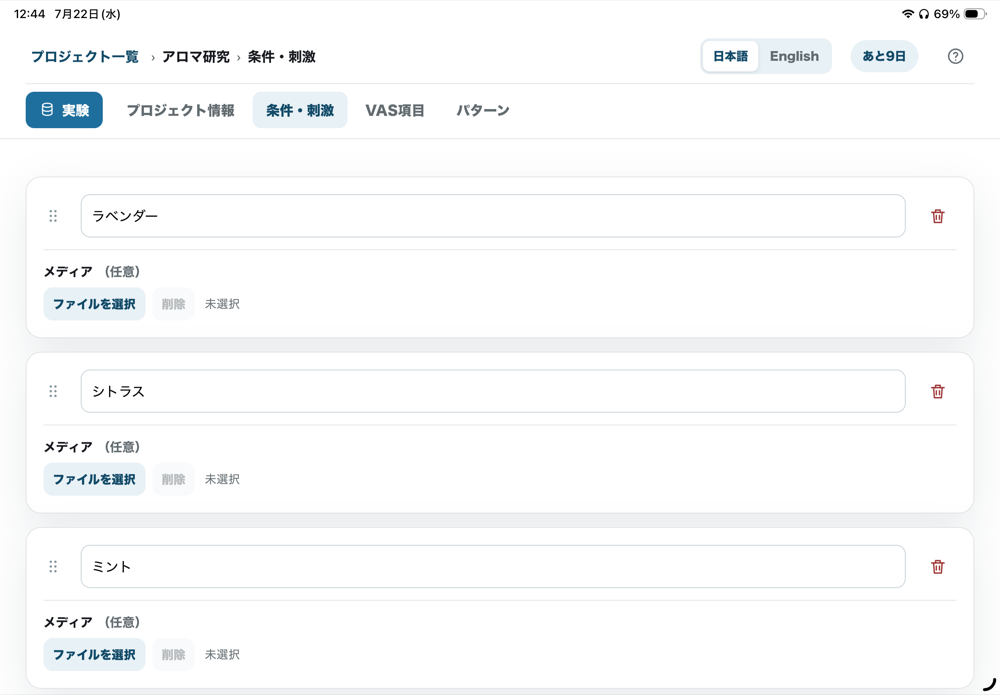
Experiment settings
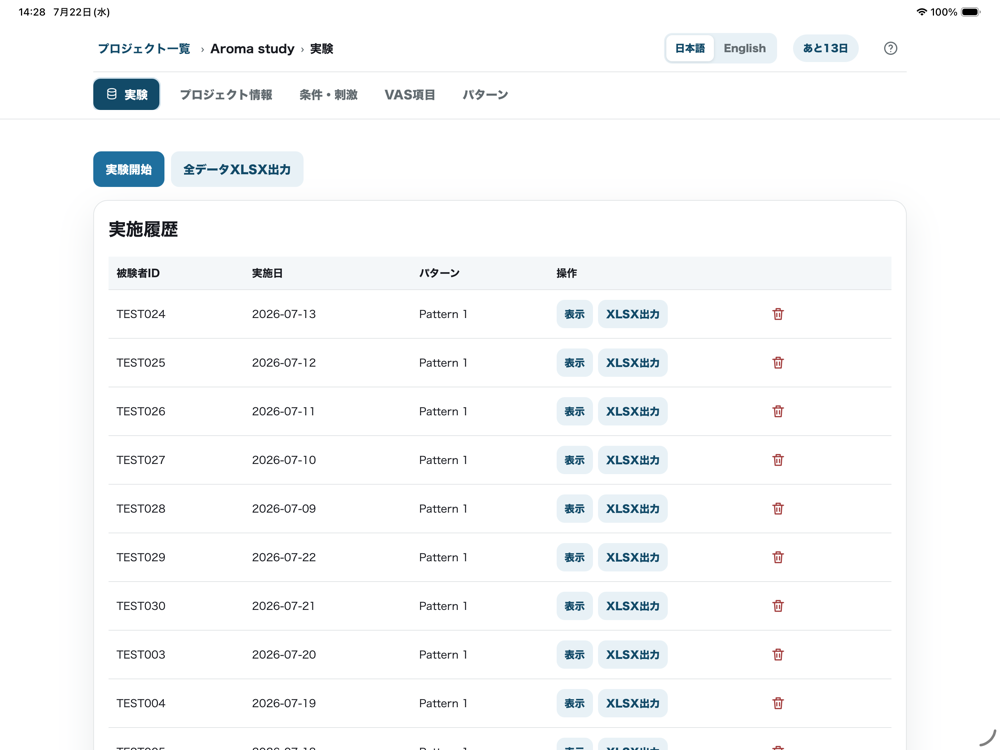
Review results
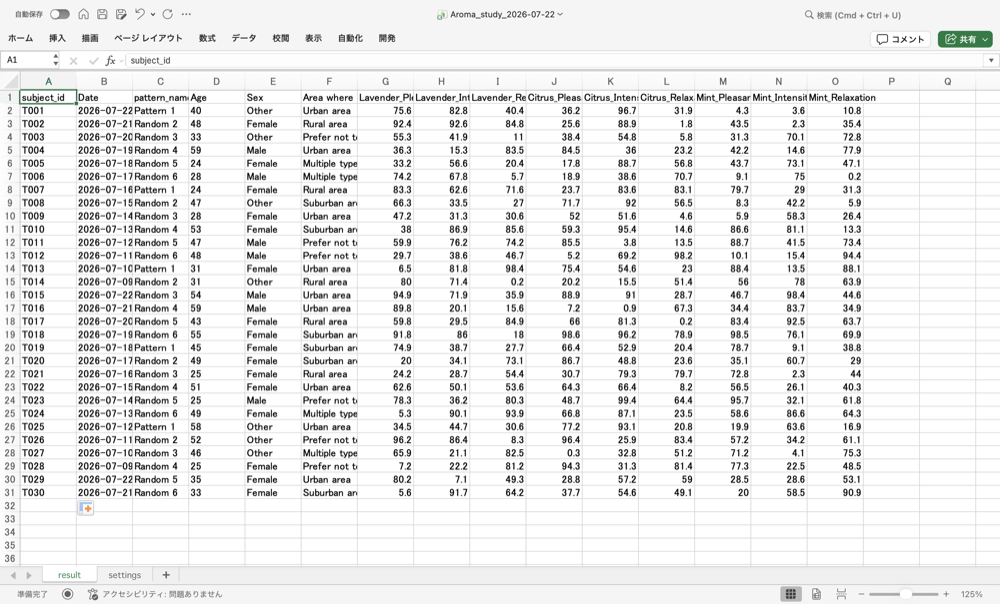
XLSX export
Data & Privacy
Research data stays
on your device by default
We keep data handling clear and straightforward.
- Research data is stored on your device by default.
- Research data is not automatically transmitted to external servers.
- No ads.
- No external tracking.
To protect your data, please keep your own backups and manage your data appropriately. Data may be lost if the device is damaged, lost, or erased.
Pricing
14-day free trial
All features are available during the 14-day free trial.
Monthly plan
¥980 / month
Annual plan
¥9,800 / year
- No one-time purchase option is currently offered.
- Saved data remains viewable and exportable after the free trial or subscription ends.
- Prices and specifications are subject to change.