
Research Support Software
Making research a little easier.
Piyo Labs develops focused, easy-to-use software for researchers at universities, healthcare organizations, research institutions, and companies.
Current Product
 rVAS
rVAS
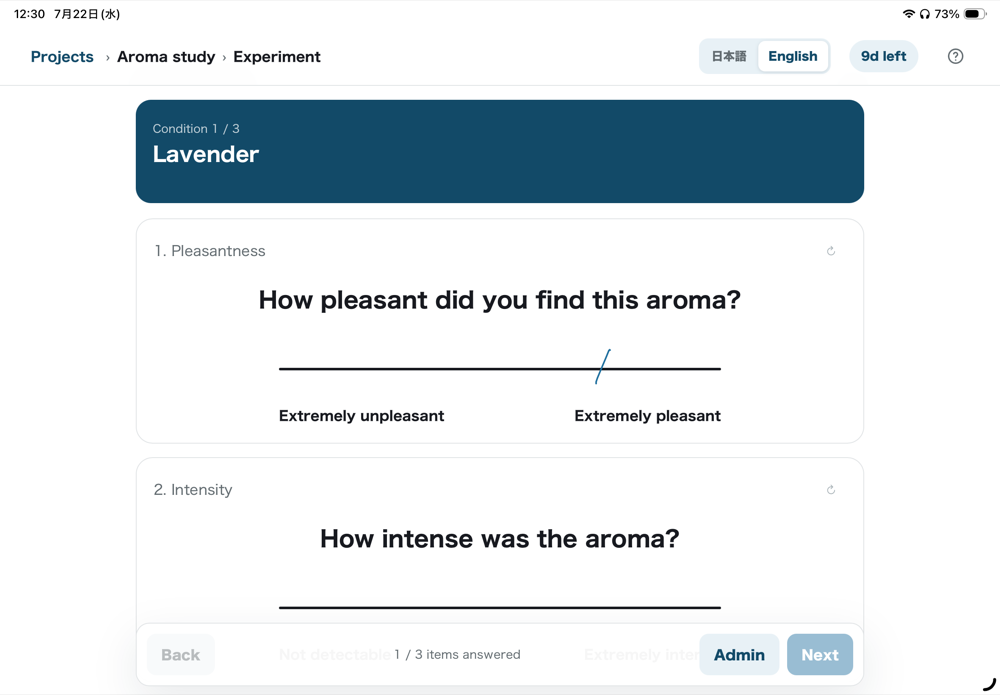
A Visual Analog Scale (VAS) app for research on iPhone and iPad. Configure your study, measure, and export to XLSX — all in one app. Experiments with double-mode items require an iPad.
All features are available for 14 days from first launch, with no purchase required.
Key Features
- Freehand VAS measurement
- Image, video & audio stimuli
- Management of conditions and presentation-order patterns.
- XLSX export
Piyo Labs Products
Apps for Research
VAS Measurement
rVAS
A general-purpose VAS app for research. Design projects, conditions, and VAS items freely, and conduct studies.
iPhone & iPad
Coming soon
More apps in development
New apps supporting research, experiments, data organization, and psychological measures are planned.
More products supporting research, experiments, data organization, and psychological measures are planned for the future.
Piyo Labs’ Core Principles
As independently developed software, Piyo Labs values the integrity, reliability, and transparency that research use requires.
01
Thoughtful independent development
Piyo Labs develops research software independently and with care, focusing on tools that researchers will genuinely use.
02
Freely Designed by Researchers
You can freely design every part of your project, without being limited to any specific research field.
03
Data That Stays on Your Device
All data handled by rVAS — project settings, subject information, and experiment results — is stored only on your device. Nothing is sent to an external server or synced to the cloud.
Resources
Articles useful for research, from the basics of VAS to organizing your data.
What Is a Visual Analog Scale?
A simple method for turning subjective experiences into numerical data
How to Organize and Review VAS Data in Excel
Collecting Visual Analog Scale (VAS) responses is only the first step.
Support
You can find help and contact information below.